What USB-C charger do Steam Deck, ROG Ally, Nintendo Switch, and other handheld consoles need?
Updated: Oct 29

Portable gaming consoles and handheld gaming PCs let you play at home or on the go. However, their high performance requires a sufficiently powerful power source. A smartphone charger may be too weak: the console may charge slowly, stop charging while you are playing, or limit its performance.
Most modern handheld gaming devices charge through USB-C. However, a USB-C port alone is not enough. The charger must support USB Power Delivery and provide sufficient power through a single port.
This article explains which USB-C charger is suitable for Nintendo Switch, Steam Deck, ASUS ROG Ally, Lenovo Legion Go, MSI Claw, and Acer Nitro Blaze, which cable to choose, and which power bank is useful for travel.
Quick answer
For most modern handheld gaming PCs, the optimal choice is a 65W USB-C Power Delivery charger.
This is a suitable reference point for:
ASUS ROG Ally and ROG Ally X;
ROG Xbox Ally and ROG Xbox Ally X;
Lenovo Legion Go and Legion Go S;
MSI Claw;
Acer Nitro Blaze 7 and Nitro Blaze 8;
Acer Predator Atlas 7 and Predator Atlas 8.
A 45W USB-C PD charger is sufficient for the Steam Deck LCD and OLED.
The exception among the Windows handhelds covered in this article is Acer Nitro Blaze 11. It comes with a 100W USB-C charger. The ROG Xbox Ally X20 comes with a 68W adapter. To replace it, choose a USB-C PD source with a 20V output and at least 3.4A. A convenient universal option is 100W.
Nintendo Switch requirements depend on how the console is used. Charging the console itself requires relatively little power, but using the dock requires a more powerful adapter. Nintendo Switch 2 requires a power source rated at no less than 54W in TV mode.
For a single universal adapter that can charge a gaming console, smartphone, and other devices while traveling, a high-quality multi-port 🔍 USB-C charger rated at 100W or more is a practical choice.
Why a USB-C port alone is not enough
USB-C describes the connector shape, but it does not guarantee fast charging support. Different chargers with USB-C ports may provide 15, 20, 30, 45, 65, 100W, or another power level.
Three parameters matter when choosing a charger for a handheld gaming device:
Support for USB Power Delivery, abbreviated as USB PD.
Sufficient power output from a single USB-C port.
A suitable USB-C cable.
For example, a 100W label on a multi-port charger may refer to the total output of all ports. If a smartphone and a console are connected at the same time, the main USB-C port may provide less than 65W. Check the power distribution scheme before buying a charger.
When a higher-power charger is used, the console does not continuously draw all the available power. The device and the charger negotiate an appropriate profile through USB Power Delivery. Therefore, a high-quality 100W USB-C PD charger is also suitable for devices that require 45 or 65W.
Nintendo Switch: charging the console and powering the dock
The Nintendo Switch family requires a separate explanation. The power required to charge the console itself is considerably lower than the power required to use the dock in TV mode.
Model | Official data | Practical recommendation |
Nintendo Switch HAC-001 | Charges through USB-C. The original HAC-002 adapter provides up to 39W. Nintendo Switch specifications | A USB-C PD adapter is suitable for charging the console. To replace the original adapter and use the dock, choose a compatible charger rated at 39W or more. |
Nintendo Switch HAC-001(-01) | The maximum console charging speed is up to 10W. TV mode requires 39W. Nintendo document | For general use, including the dock, choose a charger rated at 39W or more. |
Nintendo Switch OLED model HEG-001 | The maximum console charging speed is up to 14W. TV mode requires 39W. Nintendo document | For the console and dock, choose a compatible USB-C PD charger rated at 39W or more. |
Nintendo Switch Lite HDH-001 | The maximum charging speed is up to 9W. Dock connection is not supported. Nintendo document | A compact USB-C PD charger is sufficient for Switch Lite. There is no need to buy a high-power charger specifically for this device. |
Nintendo Switch 2 BEE-001 | The console can be charged through either the top or bottom USB-C port. The maximum charging speed for the console itself is up to 12W. TV mode requires 54W. The included NGN-01 adapter provides up to 60W. Nintendo Switch 2 document | A USB-C PD adapter is suitable for charging the console. To fully replace the original charger and use TV mode, choose an adapter rated at no less than 54W. A 65W charger is a practical universal option. |
For Nintendo Switch and Switch OLED, the safest option for regular dock use is the original Nintendo adapter or a charger whose dock compatibility has been confirmed by the manufacturer or through testing.
For Nintendo Switch 2, a 65W USB-C PD charger is more convenient than the original power adapter if it is also used with a smartphone, tablet, or laptop.
Steam Deck LCD and OLED
Valve clearly states the power requirements for both Steam Deck versions.
Model | Official data | Practical recommendation |
Steam Deck LCD | USB-C Power Delivery 3.0, 45W. Steam Deck LCD specifications | A 45W USB-C PD charger is sufficient. A universal 65 or 100W adapter is also suitable. |
Steam Deck OLED | USB-C Power Delivery 3.0, 45W. Steam Deck OLED specifications | A 45W USB-C PD charger is sufficient. |
There is no need to buy a 100W charger if it will only be used with the Steam Deck. However, a more powerful adapter may be more convenient while traveling if it also charges a smartphone, tablet, or laptop.
ASUS ROG Ally
For most ASUS handheld gaming PCs, a 65W USB-C charger is a practical reference point. For the models listed below, except the ROG Xbox Ally X20, the official Type-C adapter has a 20V3.25A output (65W). ASUS specifies 68W and 20V3.4A for the ROG Xbox Ally X20.
Model | Official data | Practical recommendation |
ASUS ROG Ally RC71L, Ryzen Z1 | 65W Type-C adapter, 20V / 3.25A. ASUS specifications | 65W USB-C PD charger. |
ASUS ROG Ally RC71L, Ryzen Z1 Extreme | 65W Type-C adapter, 20V / 3.25A. ASUS specifications | 65W USB-C PD charger. |
ASUS ROG Ally X RC72LA | 65W Type-C adapter, 20V / 3.25A. ASUS specifications | 65W USB-C PD charger. |
ROG Xbox Ally RC73YA | 65W Type-C adapter, 20V / 3.25A. ASUS specifications | 65W USB-C PD charger. |
ROG Xbox Ally X RC73XA | 65W Type-C adapter, 20V / 3.25A. ASUS specifications | 65W USB-C PD charger. |
ASUS ROG Xbox Ally X20 RC74XA | Power Delivery 3.0; 68W Type-C adapter, 20V3.4A. ASUS specifications | To replace the included adapter: USB-C PD with a 20V output and at least 3.4A. A convenient universal option is 100W. |
For ASUS models with a 65W adapter, check that a single USB-C port supports the 20V3.25A profile. For the ROG Xbox Ally X20, look for 20V and at least 3.4A to match the included 68W adapter.
Lenovo Legion Go
For the Lenovo Legion Go, the basic practical reference point is also a 65W USB-C PD charger.
The specifications for newer Lenovo models may list a USB PD range of 65-100W. A 65W charger is sufficient as a standard replacement for the included adapter. A more powerful charger makes sense as a universal power source for several devices.
Model | Official data | Practical recommendation |
Lenovo Legion Go 8APU1 | 65W USB-C adapter with PD 3.0 support. Lenovo specifications | 65W USB-C PD charger. |
Lenovo Legion Go S 8ARP1 | The USB-C ports support USB PD 65-100W. Lenovo specifications | Basic recommendation: 65W USB-C PD charger. |
Lenovo Legion Go S 8APU1 | The USB-C ports support USB PD 65-100W. The included adapter depends on the market. Lenovo specifications | Basic recommendation: 65W USB-C PD charger. |
Lenovo Legion Go Gen 2 8AHP2 | The USB-C ports support USB PD 65-100W. Lenovo specifications | Basic recommendation: 65W USB-C PD charger. |
Lenovo Legion Go Gen 2 8ASP2 | The USB-C ports support USB PD 65-100W. Lenovo specifications | Basic recommendation: 65W USB-C PD charger. |
Lenovo C700 | USB PD 15W (documentation) | USB PD 18W+ |
MSI Claw
A single practical recommendation can be used for the MSI Claw family: a 65W USB-C PD charger.
MSI states that 45W charging is supported at 20V / 2.25A, with up to 65W available at 20V / 3.25A. A weaker adapter may work, but a 65W charger allows the console to be used without unnecessary limitations.
Model | Official data | Practical recommendation |
MSI Claw A1M / A1MX | Power Delivery 3.0 included a 65W PD adapter. MSI specifications | 65W USB-C PD charger. |
MSI Claw 7 AI+ A2VM | Thunderbolt 4 ports with Power Delivery 3.0 support. MSI specifications | 65W USB-C PD charger. |
MSI Claw 8 AI+ A2VM | Power Delivery: from 45W to 65W. MSI product page | 65W USB-C PD charger. |
MSI Claw 8 AI+ A2VM, Glacier Blue / Polar Tempest Edition | Power Delivery 3.0; 65W PD adapter. Special editions of the base Claw 8 AI+ with the same charging requirements. Glacier Blue / Polar Tempest | 65W USB-C PD charger. |
MSI Claw A8 BZ2EM | Power Delivery 3.0, 65W adapter. MSI specifications | 65W USB-C PD charger. |
Claw 8 EX AI+ CG3M/CG3EM | Power Delivery 3.0, 65W adapter. | 65W USB-C PD charger. |
Acer Nitro Blaze and Predator Atlas
Most Acer handheld gaming PCs also belong to the 65W class. The exception is the larger Nitro Blaze 11, which comes with a 100W adapter.
Model | Official data | Practical recommendation |
Acer Nitro Blaze 7 GN771 | USB4 Type-C with fast charging. Includes a 65W Type-C adapter. Acer product page | 65W USB-C PD charger. |
Acer Nitro Blaze 8 GN782U | Includes a 65W Type-C adapter. Acer product page | 65W USB-C PD charger. |
Acer Nitro Blaze 11 GN7112U | Includes a 100W Type-C adapter. Acer product page | 100W USB-C PD charger. |
Acer Nitro Blaze Link GN772 | A streaming console that does not run games locally. The USB Type-C port is for charging only, and a 15W adapter with a Type-C cable is included. Announced model: North American availability is stated from Q4 2026. Acer announcement | 15W adapter included, USB PD support is not stated in the announcement. |
Acer Predator Atlas 8 PA08-I51 | Acer specifies a 65W Type-C adapter. Acer product page | 65W USB-C PD charger. |
Acer Predator Atlas 7 PA07-I51 | USB Power Delivery; 65W Type-C adapter. Announced model: availability in EMEA is planned from November 2026. Acer specifications; Acer announcement | 65W USB-C PD charger. |
Which USB-C cable is required?
A cable with an insufficient power rating may limit charging even when a suitable charger is used.
For the 45W Steam Deck, a high-quality 60W USB-C cable is sufficient.
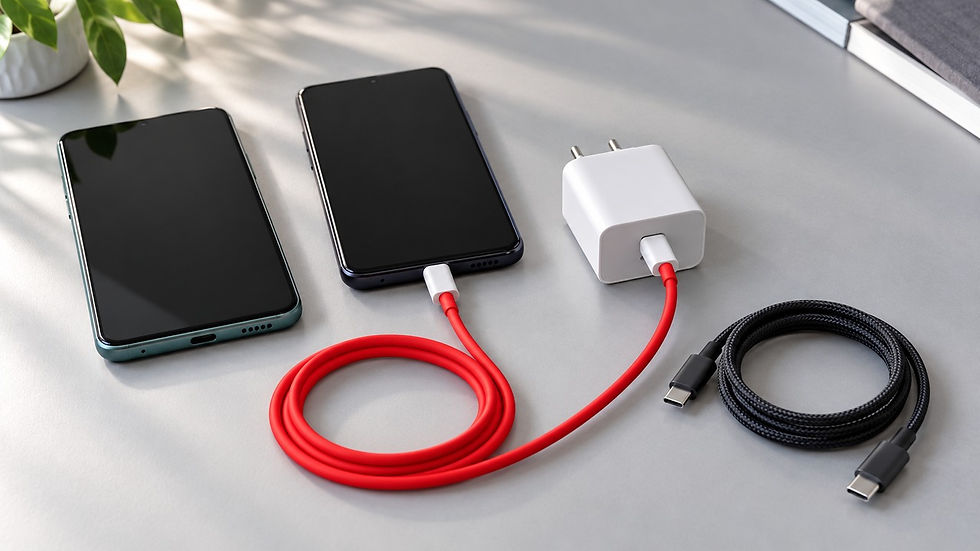
For 65W gaming devices, it is better to use a 100 or 240W USB-C cable with an e-marker chip. Such a cable is rated for up to 5A and will not limit charging.
Acer Nitro Blaze 11 and a universal 100W charger also require a cable rated at no less than 100W.
If the cable is only used for charging, high data transfer speeds are not necessary. To connect the console to a dock, monitor, or external SSD, choose a cable with suitable data transfer and video output support.
🔍 Here is a selection of tested cables. In the detailed description of each cable, you can find measured internal resistance, the data from the e-marker chip, and photos. This is useful because cable resistance affects voltage drop and, accordingly, the actual power that reaches the device, while the power losses themselves appear in the form of heat that warms up the cable.
Which power bank is suitable for a handheld console?
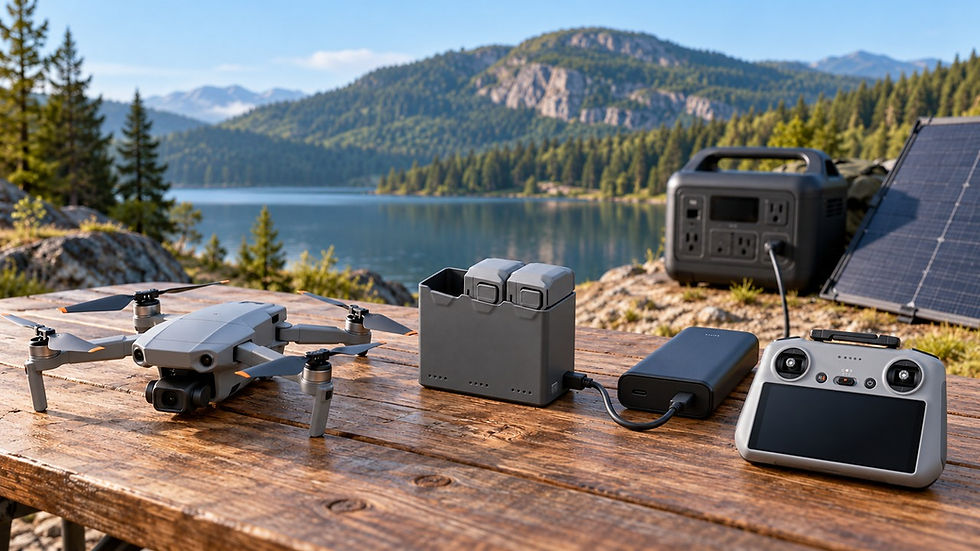
For most handheld gaming PCs, the optimal choice is a power bank with USB-C Power Delivery output of 65W or more through a single port. Steam Deck requires 45W, while Acer Nitro Blaze 11 needs a 100W output. For the ROG Xbox Ally X20, choose a power bank with a 20V output and at least 3.4A; a practical option is 100W through a single USB-C port.
When choosing a power bank, distinguish between:
W - the maximum output power of the USB-C port;
Wh - the energy stored in the power bank.
Power output determines whether the power bank can properly power the console while you are playing. Capacity determines how much additional battery life it can provide.
Device | Recommended USB-C power bank output |
Nintendo Switch, Switch Lite | Any model with USB-C PD support |
Nintendo Switch 2 | 65W |
Steam Deck LCD and OLED | 45W |
ASUS ROG Ally (except ROG Xbox Ally X20) | 65W |
ASUS ROG Xbox Ally X20 | 20V output with at least 3.4A; a practical option is 100W |
Lenovo Legion Go | 65W |
MSI Claw | 65W |
Acer Nitro Blaze 7, Blaze 8, Predator Atlas 7 and 8 | 65W |
Acer Nitro Blaze 11 | 100W |
How to estimate additional battery life
Some energy is inevitably lost in the voltage converters, cable, and charging controller. For a rough estimate, use an efficiency factor of 0.8:
available energy = power bank capacity in Wh x 0.8
Then compare the result with the battery capacity of the console.
For example, ASUS ROG Ally X has an 80 Wh battery. A power bank with a capacity of about 100 Wh provides:
100 Wh x 0.8 = about 80 Wh
This means that a new power bank with a capacity of around 100 Wh can add approximately one full charge to ROG Ally X. The actual result may be lower due to operating conditions and gradual battery aging.
Battery capacity of handheld consoles
Brand | Model | Battery |
Nintendo | Switch HAC-001 | about 16 Wh |
Nintendo | Switch HAC-001(-01) | about 16 Wh |
Nintendo | Switch OLED HEG-001 | about 16 Wh |
Nintendo | Switch Lite HDH-001 | about 13.6 Wh |
Nintendo | Switch 2 BEE-001 | about 19.7 Wh |
Valve | Steam Deck LCD | 40 Wh |
Valve | Steam Deck OLED | 50 Wh |
ASUS | ROG Ally RC71L, Ryzen Z1 | 40 Wh |
ASUS | ROG Ally RC71L, Ryzen Z1 Extreme | 40 Wh |
ASUS | ROG Ally X RC72LA | 80 Wh |
ASUS | ROG Xbox Ally RC73YA | 60 Wh |
ASUS | ROG Xbox Ally X RC73XA | 80 Wh |
ASUS | ROG Xbox Ally X20 RC74XA | 80Wh |
Lenovo | Legion Go 8APU1 | 49.2 Wh |
Lenovo | Legion Go S 8ARP1 | 55.5 Wh |
Lenovo | Legion Go S 8APU1 | 55.5 Wh |
Lenovo | Legion Go Gen 2 8AHP2 | 74 Wh |
Lenovo | Legion Go Gen 2 8ASP2 | 74 Wh |
MSI | Claw A1M / A1MX | 53 Wh |
MSI | Claw 7 AI+ A2VM | 54.5 Wh |
MSI | Claw 8 AI+ A2VM | 80 Wh |
MSI | Claw 8 AI+ A2VM, Glacier Blue / Polar Tempest Edition | 80Wh |
MSI | Claw A8 BZ2EM | 80 Wh |
MSI | Claw 8 EX AI+ CG3M/CG3EM | 80Wh |
Acer | Nitro Blaze 7 GN771 | 50.04 Wh |
Acer | Nitro Blaze 8 GN782U | 55 Wh |
Acer | Nitro Blaze 11 GN7112U | 55 Wh |
Acer | Nitro Blaze Link GN772 | 18 Wh |
Acer | Predator Atlas 8 PA08-I51 | 60 or 80 Wh |
Acer | Predator Atlas 7 PA07-I51 | 60 or 80Wh, depending on configuration |
For Nintendo devices, the values in Wh are approximate calculations based on the official battery capacities specified in mAh.
For most trips, a power bank with a capacity of approximately 72-100 Wh and a USB-C PD output of 65 or 100W is suitable. Check the output of a single USB-C port, the power distribution between ports, and the airline restrictions that apply to power banks.
Conclusion
For a simple universal answer, choose a high-quality 100W USB-C PD charger and a 100 or 240W USB-C cable. This combination is suitable for almost all of the handheld gaming consoles and handheld gaming PCs covered in this article, and it is also convenient for travel.
A more compact 65W charger is the optimal choice for most Windows handhelds: ASUS ROG Ally, Lenovo Legion Go, MSI Claw, and most Acer models.
For the Steam Deck, 45W is sufficient.
For Nintendo Switch, consider not only the charging requirements of the console itself, but also the requirements of the dock. Nintendo Switch 2 requires a power source rated at no less than 54W in TV mode.
Before buying a charger, check:
the power output of a single USB-C port;
USB Power Delivery support;
the 20V / 3.25A profile for 65W devices;
the 20V / 5A profile for 100W devices;
power distribution between ports;
whether the cable supports the required power level.
Suitable models are listed in the following sections: