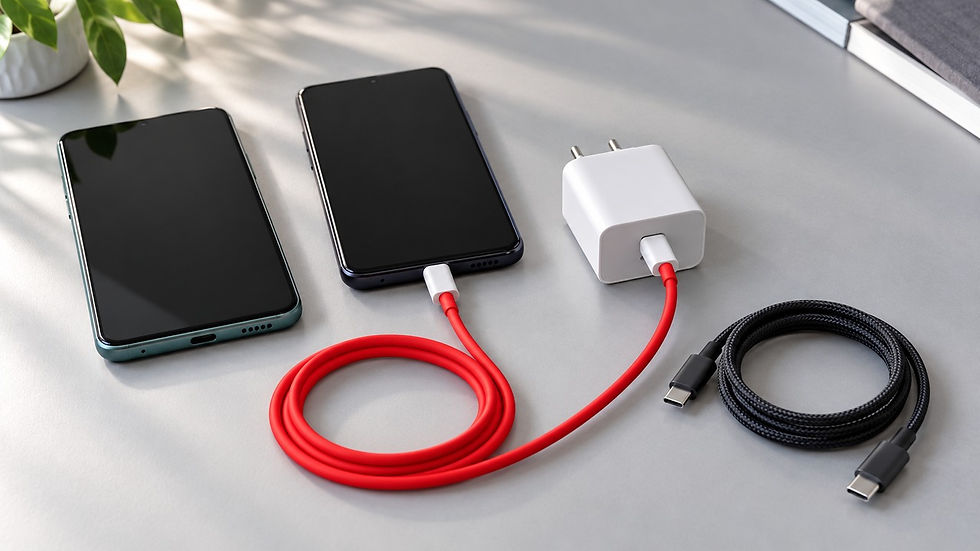
How to charge DJI drones and accessories: practical guide
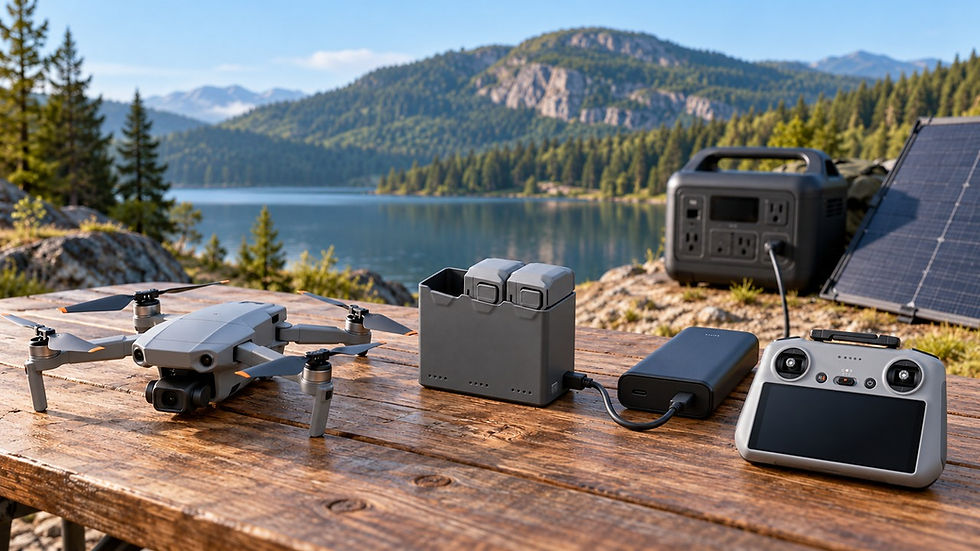
On a trip, charging the drone alone is not enough. Flight batteries, the controller, and your smartphone all need power, and an FPV kit also needs goggles. Many modern consumer DJI devices can share a USB-C PD power source. However, the power required to charge the drone, accessories, and charging hub differs.
This guide covers current and recent Mini, Lito, Air, Mavic, Flip, Neo, and Avata series: what to connect, which power supply to choose, and how to build a charging kit for home, the car, and camping.
What to check before connecting
USB Power Delivery (PD) allows the source and device to negotiate voltage and current. A USB-C connector alone does not mean fast charging is supported.
A 100W power supply does not force a device to accept 100W: the drone or hub limits the power it draws. A 100W rating may refer only to the 20V5A mode. At 15V, the same power supply delivers a maximum of 3A, or 45W. That is enough for some DJI devices, while others need higher voltage and current for fast charging.
To charge through a direct connection to the drone, insert the battery into the powered-off aircraft and connect the cable to its charging USB-C port. A compatible charging hub is more convenient for several batteries: it has battery slots and receives power from an external supply.
Currents above 3A (for 65-100W hubs) require a 5A USB-C cable. Using 5A cables rated for 100W/240W is more practical in all situations because they have lower internal resistance.
Suitable options are listed in the USB cable catalog.
Drone and charging hub: requirements by series
The requirements below refer to specific charging methods. The recommended power supply rating is not always the power the device actually accepts. Manufacturer charging times are measured under specified conditions; temperature, remaining charge and power sharing between ports affect the result.
Mini and Lito
Mini 4 Pro, Mini 3 and Mini 3 Pro. For USB-C charging, use a compatible 30W PD supply as a starting point. The Mini 3 series hub charges batteries sequentially. It also accepts Mini 4 Pro batteries; hub compatibility does not mean batteries are interchangeable across all drones.
Mini 5 Pro. DJI recommends a 65W source for the hub. Two standard batteries can charge simultaneously if the source supports PD and supplies at least 45W at 15V3A, and the cable is rated for at least 3A. Charging through the drone body is also supported.
Lito 1 and Lito X1. A 65W PD power supply is recommended for the corresponding hubs. With at least 45W, the hub can charge three batteries of the same model simultaneously after balancing their charge levels. With less power, charging is sequential. Choose the hub for the specific series.
Air and Mavic
Air 3 and Air 3S. DJI specifies about 80 minutes per battery when charging through the drone body with a 65W supply, and about 60 minutes through the hub with a 100W supply. The hub charges three batteries sequentially; 100W input requires 20V5A and a 5A cable. The Air 3S hub is compatible with Air 3 and Air 3S batteries.
Mavic 3, Mavic 3 Classic, and Mavic 3 Pro. DJI offers different 65W and 100W hubs. Both charge batteries sequentially. The 100W version with a matching supply takes about 70 minutes per battery. For charging through the drone body, DJI recommends a 65W supply or a compatible PD/PPS source rated for at least 60W.
Mavic 4 Pro. Through the drone body: up to 65W. Through the hub's USB-C input: up to 100W, with sequential battery charging. Charging three batteries simultaneously requires the DJI Mavic 240W Power Adapter and a separate Mini SDC input. An ordinary 240W PD supply does not provide this mode through USB-C.
Flip, Neo and Avata
Flip. Through the drone body: up to 30W. The hub accepts up to 65W and charges two batteries simultaneously with a source rated for at least 65W, using a 15V profile at 4.3A. This is a nonstandard PD profile (the standard limit is 3A). This profile is supported by the original 65W wall charger and 65W car charger. If these conditions are not met, batteries charge one at a time.
Neo. Through the drone body: up to 15W. The hub accepts up to 60W; DJI recommends a 65W supply. A source above 45W can charge three batteries simultaneously.
Neo 2. Through the drone body: up to 15W; through the hub: up to 65W. Above 45W, three batteries charge simultaneously; at 30-45W, two charge simultaneously; below 30W, charging is sequential. Do not substitute a Neo 2 hub for a Neo hub.
Avata 2. Through the drone body: up to 30W. The hub accepts up to 60W and charges batteries sequentially; DJI recommends a 65W USB PD source.
Avata 360. Through the drone body: up to 65W. The hub accepts up to 100W and supports simultaneous charging of three batteries with at least 65W input; below this threshold, charging is sequential.
The older DJI FPV is a separate case: its flight battery does not charge through the drone body's USB-C port, and the standard charger does not support USB PD. It requires the charging adapter specified by DJI. A USB-C port on the drone does not prove that charging is supported. DJI FPV support.
Controller, smartphone and FPV goggles
A controller with a built-in screen has its own battery. A controller with a smartphone holder also uses energy to charge the connected smartphone. For example, DJI specifies up to 3.5 hours of RC-N3 operation without charging a smartphone, and up to 1.5 hours while charging it.
DJI RC-N3: charging input: 5V2A (10W). This is an example of a controller without a built-in display. Compatible with DJI Flip, DJI Neo, DJI Mini 4 Pro, DJI Air 3, DJI Air 3S.
DJI RC 2: supports a source up to 9V3A (27W). For faster charging, choose a compatible port with this profile rather than an ordinary 5V output.
DJI Smart Controller: USB-C charging with support for QC 2.0. DJI recommends a 12V2A (24W) source; a full charge takes about 2 hours. For fast charging, choose a port with QC 2.0 and this profile: PD support alone is not enough.
DJI RC Pro: charges through USB-C. DJI recommends a USB power supply with a 12V or 15V output: a full charge takes about 2 hours at 12V and about 1.5 hours at 15V. When choosing a wall adapter, car charger or power bank, check that the required output profile is available. This is a separate model from the RC Pro 2.
DJI Goggles 3: USB-C charging, up to 20W with the goggles switched off. DJI allows power bank use while the goggles are operating.
DJI Goggles N3: charging with the goggles switched off uses 5V3A; power bank use during operation is also supported.
DJI RC Motion 3 and FPV Remote Controller 3: charging input: 5V2A.
Charging at home: one power supply for the whole kit
If you charge one battery at a time and have enough time for a series of batteries, a large hub is desirable but optional. You can charge all batteries sequentially by inserting them into the drone and connecting it to the charger. A hub is useful when you have several batteries, use them frequently, need to free up the drone, or regularly prepare the whole kit for a trip on a tight schedule.
A 30W PD charger is usually sufficient for Mini 3/4 Pro. For Mini 5 Pro, Lito, Neo and Avata 2, choose 65W. For Air 3/3S and 100W Mavic hubs, choose a USB-C charger rated for 100W or more from the tested options in the catalog. For Flip, choose either sequential charging from a third-party power supply or parallel charging of drone batteries with the official USB-C charger DJI 65W Portable Charger, because it uses a nonstandard charging protocol at 4.3A.
When charging the hub, controller, and smartphone simultaneously, check how power is shared when several ports are occupied. A supply rated for 100W total may give the hub much less than 100W. Charging may slow down or switch to sequential mode.
In the car: charging between shooting locations
A car PD adapter lets you charge your devices on the road in exactly the same way as at home. Check the power available from one port: 65W for the corresponding compact kits, or 100W for fast charging of Air and Mavic hubs.
An example of an official solution: DJI 65W Car Charger. It supports PD/PPS, with profiles 15V4.3A (a proprietary nonstandard protocol) and 20V3.25A. However, DJI specifies a 12.7-16V input, so it cannot be considered a universal adapter for the 24V electrical systems used in some vehicles.
Other universal options for charging in a vehicle, including more powerful models, are listed in the car PD charger catalog TinkerVault. Note that the standard USB port in a vehicle's multimedia system may not support PD charging or the required PD profile.
Power bank: calculate energy, not just watts
Power in W determines the available charging rate. Energy capacity in Wh determines how many batteries you can charge. A power bank with a 65W output may store little energy, while a high-capacity source with a 20W output will charge a large hub slowly.
Comparing mAh alone is not always helpful: the number refers to a specific battery cell voltage. If the label states 20000mAh at 3.7V, nominal energy is 20Ah × 3.7V = 74Wh. Also consider that approximately 80% of a power bank's energy is usable, as energy is lost during extraction, conversion, and transfer.
As a reference, a standard Mini 4 Pro battery stores 18.96Wh, an Air 3S battery 62.5Wh, and a Mavic 4 Pro battery 95.3Wh. Three full charges require 56.88Wh, 187.5Wh and 285.9Wh respectively in the batteries alone, excluding the losses mentioned above. Use these figures when calculating your energy budget.
This calculation immediately shows why a pocket-sized power bank is convenient for Mini but cannot replace a large station for several Mavic batteries. Choose both an energy reserve above the calculated total and the required output profile independently.
Tested power bank options are listed in the catalog.
Camping: a solar panel and power station
For an extended trip, a useful setup is a solar panel charging a power station (a very high-capacity power bank) through its solar input, while the station powers the drone's charging hub over USB-C PD. The station battery provides stable charging through cloudy periods and after sunset.
Some solar panels have a USB-PD output, but charging can become unstable in shade and may not use the panel's full potential. It therefore makes sense to store energy in a power bank or power station and use that to power other devices.
The solutions in the Starlink Mini power guide are useful here. If Starlink and the drone share a station, budget energy and available power for both tasks.
Here are a few examples of devices for camping:
Anker SOLIX C300 DC, 288Wh: a compact option for a USB-C kit. It has 100W and 140W outputs; solar input is limited to 100W, 11-28V, and 8.2A. This is the DC version without an AC outlet. Anker manual, Amazon.com.
Anker SOLIX C1000, 1056Wh: an example of a higher-capacity station with a 100W USB-C output and AC outlets. Anker manual, Amazon.com.
Renogy E.Flex 200W: an example of a folding panel for a suitable station. The panel also has a 45W PD output. Renogy information, Amazon.com.
One important detail: the manuals for both Anker stations listed above limit the 15V profile to the standard 3A.
DJI Power also offers its own solutions, such as Power 1000 V2 with a capacity of 1024Wh, together with solar panels and an MPPT controller. Proprietary connectors are also available for SDC cables used with DJI power accessories and for directly connecting and charging certain types of flight batteries (this is not USB-C PD). DJI Power 1000 V2 manual.
Remaining charge, temperature, and storage
Some hubs, such as Air 3/3S and Mini 5 Pro, can transfer the remaining energy from several batteries into one. This helps gather enough charge for an additional flight when external power has run out. The function does not create energy and is different from power bank mode, which powers a smartphone or controller. Recharge batteries with low charge promptly after redistribution. DJI charging guide.
Let the battery cool down after a flight. For the flight batteries covered here, the typical permitted charging range is 5-40°C; check your model's manual for the exact range. Do not leave a charging kit in direct sunlight or in a hot vehicle. DJI recommends a partial charge for long-term storage rather than keeping batteries at 100%; its general guidance for storage beyond ten days specifies 40-65%. DJI maintenance guide.
A brief note on industrial DJI drones
Consumer recommendations cannot automatically be applied to all industrial models. For example, the Matrice 350 RTK controller supports USB-C charging up to 65W, while its flight battery station runs on AC power and has a maximum input power of 1070W. PD support in the controller does not mean the same power bank can charge the flight battery kit. DJI specifications.