

A guide to charging your camera in any situation.

When traveling, it is convenient to use one charging kit for your camera, laptop, and smartphone rather than carry a separate adapter for each device. But will your laptop charger work with your camera, will a power bank last for the trip, and can you keep shooting while connected? The answers depend on your model and chosen power setup, so it is best to check before you leave.
However, having USB-C does not guarantee charging support. The connector may be used only for data transfer, and power source requirements depend on the camera model, battery, and operating mode.
Check your camera's capabilities first
Start with the manual for your model. You need to find answers to three separate questions:
Can you charge the installed battery through USB-C?
Can you power the camera from an external source while it is switched on?
Does the battery charge while you are shooting?
These are different functions. For example, switching on the Sony a6700 changes the connection to external power, but the battery does not charge in this mode. The PD power source must provide at least 18W with a 9V2A output profile, and you must use a USB-C - USB-C cable.
Also check battery compatibility and the external USB power setting. A connected cable does not always let you operate the camera without an installed battery. If the battery is deeply discharged, the camera may require you to charge it first.
You can find the charger wattage required for your Canon, Sony, Nikon, Fujifilm or Panasonic camera in the USB Power Delivery (USB PD) reference guide.
Both wattage and output voltage matter
A “65W” label on a charger does not, by itself, confirm compatibility with your camera. Check which voltage and current combinations are available from the USB-C port you plan to use.
For example, 9V3A corresponds to an output of up to 27W. This describes the source's capability; the camera's actual power draw depends on what it is doing. The Nikon Z9 has different requirements: for in-camera charging, the manufacturer specifies a PD source rated at 45W, 20V2.25A or higher. You can check these values in the Nikon manual.
For the Canon EOS R1 and EOS R5 Mark II, a source with an output of at least 45W is recommended.
A compatible higher-wattage charger does not force the camera to use all the available power. With USB PD, devices negotiate their power supply, and each receives the power it needs. This principle is described by USB-IF.
At home and in a hotel
When traveling, a charger with several USB-C ports is convenient. It lets you charge your camera, laptop, and smartphone while also replenishing your power bank, for example overnight.
If you need to charge several devices at once, it makes sense to bring a charger rated at 100-160W. Before buying, check how power is shared between ports: the charger's total output and the output of an individual port with several devices connected will differ, and every device needs enough power to charge.
A power bank for walks and location shoots
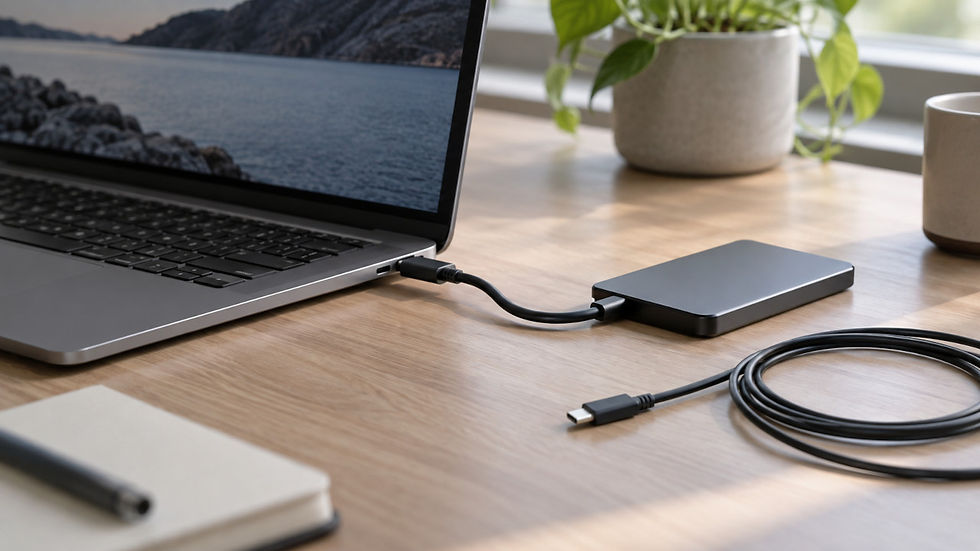
A power bank lets you recharge your camera during a break or keep it powered on a tripod, provided your model supports this mode. Make sure you have a cable long enough to connect the power bank. This is useful on long routes, for time-lapse shooting or for recording video far from an outlet.
When choosing a power bank, consider two independent parameters: USB-C output profiles and stored energy. The first determines compatibility with your camera; the second affects how many devices you can power and for how long. To compare stored energy, it is more useful to look at the Wh (watt-hours) value. You cannot calculate camera runtime from the recommended charger's wattage: a 45W source does not mean a constant 45W draw. Power bank capacity expressed in mAh (for example, 10000mAh) can be confusing because it is calculated at a voltage of 3.7V. Capacity in Wh is usually printed on the power bank, or you can use the rough estimate that 10000mAh is about 37Wh. Keep in mind that you will not be able to use all 37Wh in this example, but only around 80%: the remaining 20% is lost through unavoidable voltage conversion and current transmission losses.
To work out how long your camera can run on this supply, you need to know its average power draw. You can find this value in the documentation or measure it using a cable with a display or a power bank with a display that shows charging power in watts. Watch the power draw (in W) when the camera's battery is fully charged and the camera is switched on and operating. This keeps the energy used to charge the battery from interfering with your measurement of the camera's own power consumption.
You can look for suitable tested power banks in the TinkerVault power bank catalog.
Charging in a car
You often need to top up your camera, smartphone or laptop between locations while saving your power bank for later. A car PD charger or a built-in USB-C port can be particularly useful in this situation.
However, a car's standard USB port may be intended for multimedia, provide too little power for your camera, or lack PD charging support altogether.
It is therefore worth keeping a powerful car PD charger for the cigarette lighter socket and a cable in the car before you need them.
On the car PD chargers page, you can choose a source for your camera and other devices. There are models capable of sustained charging at up to 80W without losing stability.
Camping: portable power stations and a solar panel
On a multi-day trip, you need stored energy for your entire kit: the camera, spare batteries, laptop, and smartphone. A portable power station with USB-C PD can help here. It is essentially a power bank weighing several kilograms with an inverter, such as the Anker SOLIX C300 DC (288Wh) or Anker SOLIX C1000 (1056Wh). It also makes sense to consider a folding solar panel, such as the Renogy E.FLEX 200W with a built-in 45W charger, which lets you replenish your portable station and other devices far from an outlet.
To estimate your energy budget and the required capacity of a portable power station, compare the devices' average power draw and operating time, and account for how long you will be away from your usual power supply.
If you camp regularly for more than one day and may not have access to an outlet, looking for a higher-capacity portable station from the outset is a more reliable choice.
When using a solar panel, do not be misled by its apparently high wattage. This is the output under ideal conditions for a few hours a day, depending on very bright sunlight, ideal tilt and orientation, a perfectly clean panel, and your location on the globe. In practice, output will be lower, while clouds, the sun's movement during the day, and shading will noticeably affect the amount of energy generated.
The cable also affects the result
For PD camera charging, you need a USB-C - USB-C cable.
When choosing a cable, look for good-quality options with low internal resistance. This helps reduce energy losses during charging and keeps charging stable by limiting the unavoidable voltage drop to a noncritical level. All else being equal, it is better to choose cables marked 100W / 240W: their internal resistance is lower than that of unmarked cables rated for 60W.
Here you can find USB cables tested on TinkerVault. For tripod use, choose a length that lets you connect the source comfortably without leaving a large loop near your feet. Place the power bank or power station securely. If you use a camera cage with a cable holder, secure the cable so that an accidental movement does not pull on the camera's connector. This could damage the cable or, in the worst case, the charging port.
Packing your travel bag
A charged spare battery lets you keep shooting while the other one charges. A compatible external charger with a USB input is convenient when you need to charge a spare battery separately while the camera is in use.
Check the requirements of that charger separately: they may differ from those of the camera body's USB input.
Before a trip, assemble your entire kit and test it in use:
Charge the battery inside the camera while it is switched off.
If you need external power while shooting, test it with the battery installed.
Connect your laptop and smartphone to the same source if you plan to use them simultaneously.
Check whether camera power is interrupted when you connect other devices to the charger/power bank or disconnect them (the reset-free feature). This is especially relevant to devices without their own battery: an interruption will cause them to restart.
Make sure the cables you need and the spare battery are in your travel bag.